- Film & Animation
- Music
- Comedy
- Sports
- Travel & Events
- Gaming
- People & Blogs
- Comedy
- Entertainment
- News & Politics
- How-to & Style
- Non-profits & Activism
- Autos & Vehicles
- Pets & Animals
- Education
- Science & Technology
- Church
- Gospel
- Sermons & Bible Study
- Business & Finance
- Health & Wellness
- Food & Cooking
- Kids & Family
- Documentaries
- Lifestyle
- Other
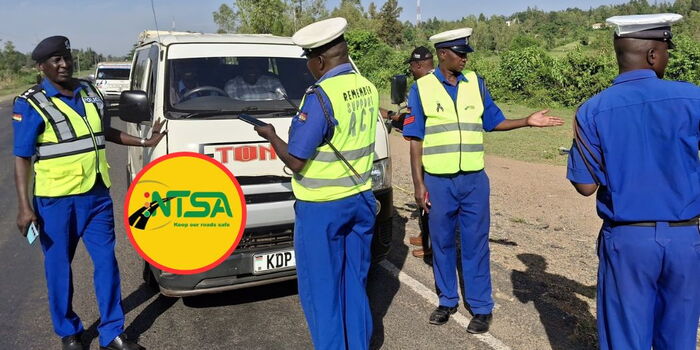
The National Transport and Safety Authority (NTSA) has outlined the process motorists can follow to access, download, and verify their electronic logbooks on the revamped portal. Breaking It Down The move is part of NTSA's broader plan to digitise vehicle registration services, eliminate paperwork and enhance the security of vehicle owners' records. Under the new system, vehicle owners can access their eLogbooks directly through the NTSA porta
06/10/26 • 1 Views

The National Transport and Safety Authority (NTSA) has outlined the process motorists can follow to access, download, and verify their electronic logbooks on the revamped portal.
🇰🇪 Breaking It Down
The move is part of NTSA's broader plan to digitise vehicle registration services, eliminate paperwork and enhance the security of vehicle owners' records.
Under the new system, vehicle owners can access their eLogbooks directly through the NTSA portal using their eCitizen credentials without visiting the Authority's offices.
To download an eLogbook, users should log in to their NTSA account through the eCitizen platform and navigate to the homepage, where their registered vehicles are listed.
📌 What You Need to Know
After completing a motor vehicle registration-related transaction, the vehicle owner should click on the "View" option, proceed to the Logbook menu and select "Download" to access the digital logbook.
Similarly, the revamped portal provides two ways a driver can verify the authenticity of their eLogbooks without directly contacting NTSA officers.
Under the first option, motorists can scan the QR code embedded on the eLogbook using a smartphone camera or QR code reader.
The scan will generate a unique code or number, which can then be entered in the "Verify Logbook" section on the NTSA service portal to confirm document validity.
The second verification method involves the NTSA mobile application, where users can download the NTSA app from the Google Play Store and log in using their eCitizen credentials.
From the homepage, navigate to the Services section, select document verification, and click on "Verify Registration Certificate" Scan the QR code on the eLogbook to generate the verification number before clicking "Verify" to confirm its authenticity.
📰 Source: Kenyans.co.ke
Related Articles